What's new in Rotahr
Everything we have shipped recently, in plain terms: what it does and where it stops. Every update is included on Starter, Pro and Enterprise at no extra cost — pricing stays flat, never per employee.
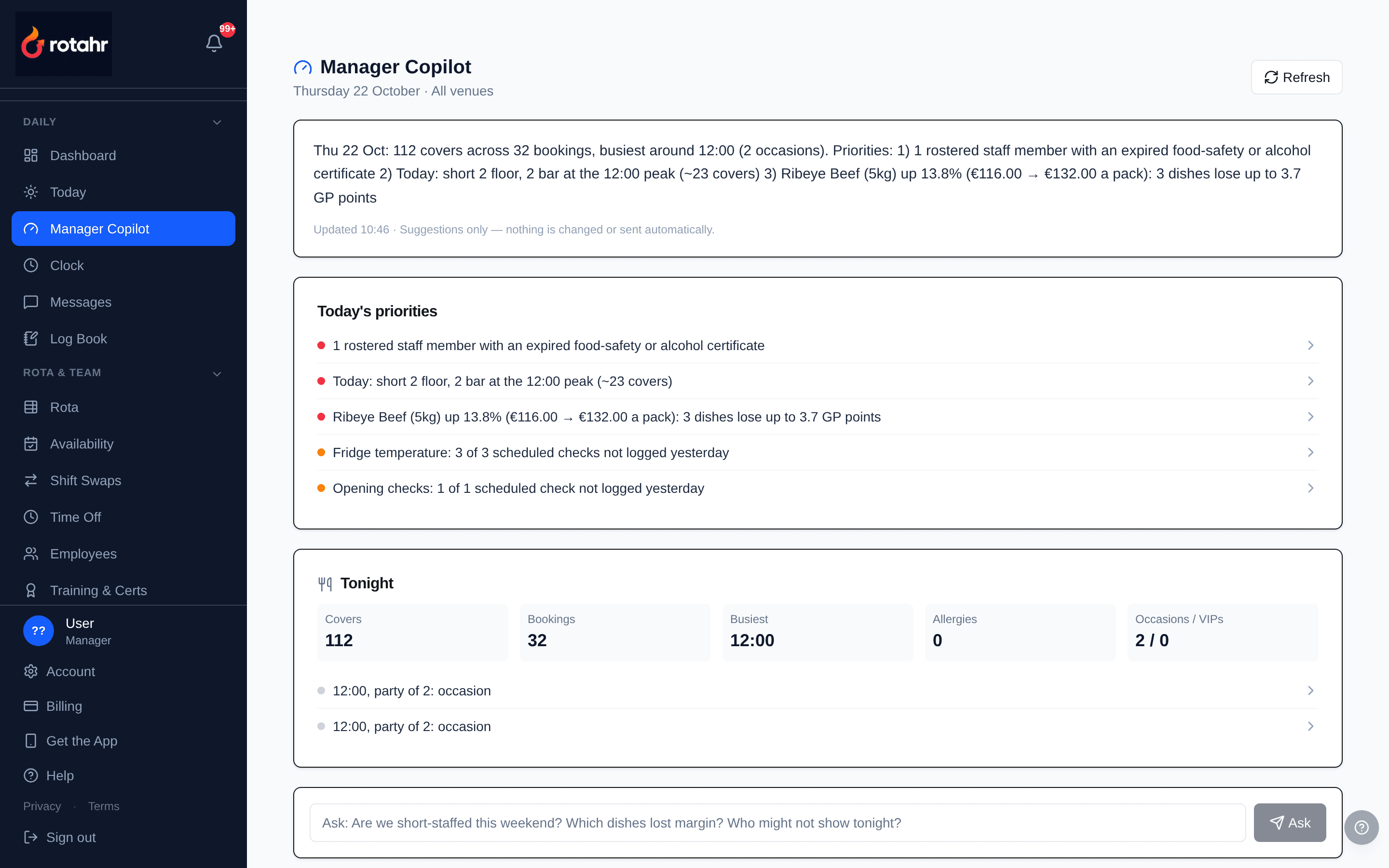
The Manager Copilot on the demo venue. Real screen, demo data.
Latest
Manager Copilot, supplier price history and per-venue labour %
The biggest release since launch: a daily brief that reads the rest of Rotahr for the manager, a price history behind every stock item, and revenue per venue for multi-site groups. Included on every plan, at no extra cost.
Manager Copilot
One page each morning with today's five priorities, a Tonight panel (covers, bookings, busiest hour, allergy tables, occasions) and an Ask box. Five read-only checks run on the venue's own data: Compliance Monitor, Margin Guard, Stock Waste Advisor, Booking Forecast and No-show Guard. It suggests a menu price, drafts a confirmation message and flags a short-staffed hour, but nothing is sent or changed automatically.
Margin Guard and a target GP
When a supplier price rises, the dishes that use it are re-costed and compared against your target gross profit, which defaults to 70% and can be changed on the Copilot page.
Booking Forecast against the rota
Covers for the next 7 days are forecast from how fast bookings came in on the same weekday in previous weeks, then compared with the kitchen, floor and bar staff rostered at the peak hour.
No-show Guard
Bookings most likely not to turn up, scored from the guest's own history, party size and lead time, with the reason shown and a confirmation message drafted for the manager to copy.
Guest and staff details stay out of the AI
The checks run inside Rotahr. The AI only words the summary and answers typed questions, and names, emails, phone numbers and record IDs are stripped before anything is sent. If the AI is unavailable the same findings show in plain text.
Supplier price history
Every change to a stock item's pack price is now recorded with the date and its source: a stock edit, a scanned receipt, a delivery note or a supplier statement reconciliation.
Who can use it
Admins and managers by default. A member of staff, such as a head chef, can be given the Manager Copilot permission individually, and the whole feature can be switched off per business in Settings → Features.
Multi-venue reporting, staff invites and privacy fixes
Groundwork for multi-site operators and a set of privacy and security fixes across the app.
POS revenue per venue
Each POS connection can be assigned to a venue, and daily POS totals are kept per venue rather than for the business as a whole.
Labour % per venue
The labour cost report now shows revenue and labour % per venue, with a venue filter. Takings from a POS that is not assigned to a venue are shown as unattributed.
Staff invites by email
Invite a new starter by email and they set their own password from the link (valid for 7 days), instead of a manager choosing one for them.
Private staff contact details
In the staff directory, team members now see only their own contact details. Managers still see the whole team.
Clock-in geofence checked on the server
When a venue has a geofence set, the server now checks the phone's location and accuracy before accepting a clock-in, rather than relying on the app screen alone. Clocking out is never blocked, and each clock event records whether it was inside the fence.
Consistent no-show status
A booking marked as a no-show now reads the same in bookings, the guest CRM and the dashboard.
Per-business webhook secret
Each business now has its own webhook signing secret instead of one shared across accounts.
First 3 months free
Starter €49, Pro €89, Enterprise €215 a month, VAT included. A flat monthly price, never per employee. No card to start.
See pricing